
Best AI Note-Taking Apps in 2026
You speak around 150 words per minute, but most people only type 40. That gap is where ideas get lost. The question is which AI note taker makes the output actually usable.
Two types of AI note-taking, and why they're not the same
If you searched 'AI meeting notes' and landed here, this section matters. Contextli and meeting recorder bots like Otter.ai, Granola, and Fathom solve different problems.
Real-time voice note-taking (Contextli)
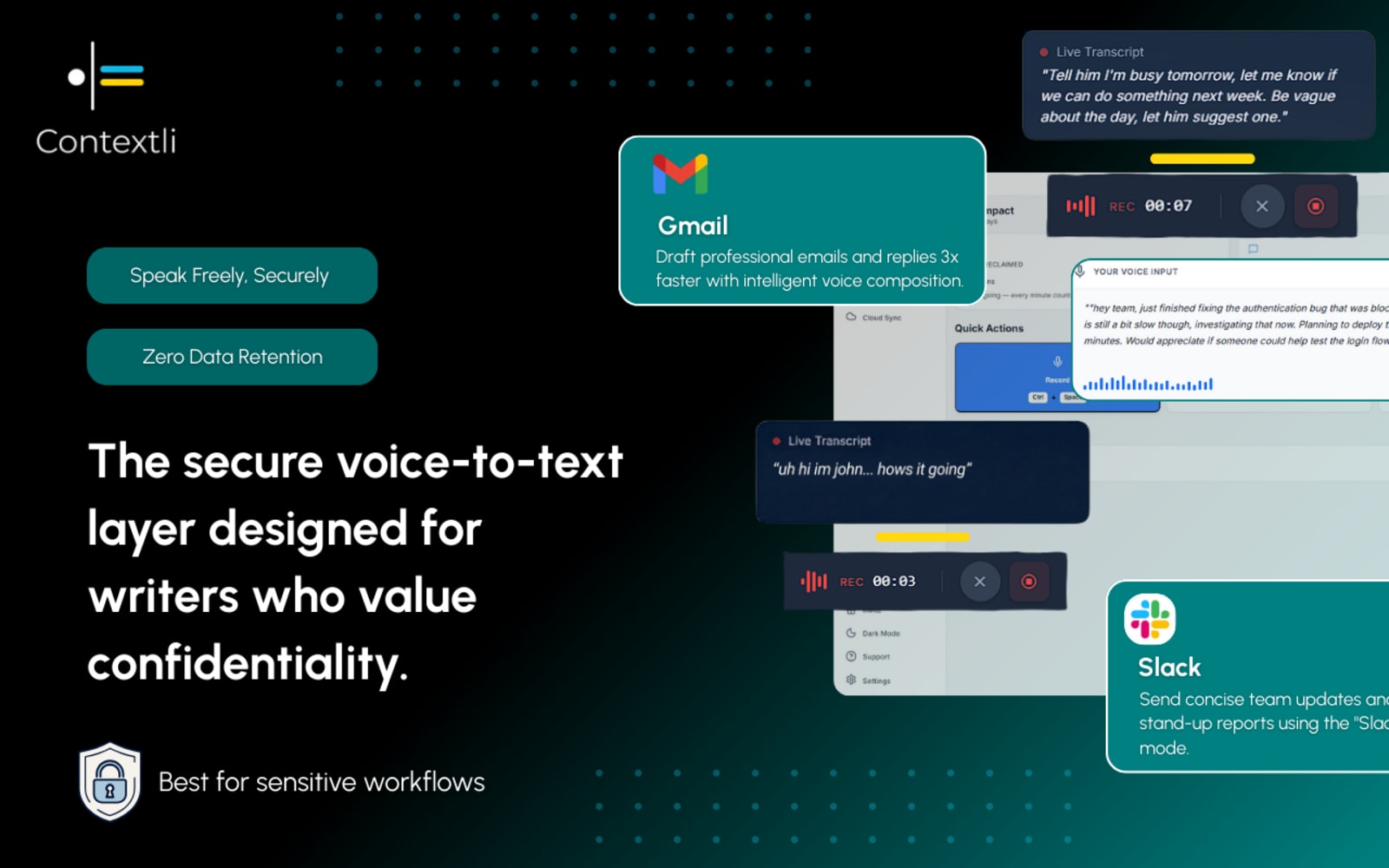
You press a shortcut, speak a thought - a task, a message, a document section, and Contextli formats it for the app you have open, right now. It works in any app on your device: Notion, Jira, Slack, Gmail, Word, VS Code, anywhere. No meeting needed. It is a voice note app for your own ideas, in the moment.
- Works any time, in any app
- Formats output for the active app automatically
- On-device - your audio stays private
Meeting recorder bots (Otter, Granola, Fathom)
Meeting recorder bots join your calendar meetings as participants. They record audio from all speakers, transcribe the conversation, and generate a summary afterward. They are excellent at capturing multi-person discussions, but they only work inside meetings and upload your audio to the cloud.
- Requires a meeting or call to join
- Records all participants (cloud-based)
- Strong at meeting summaries
The honest answer: if you want automated meeting transcription for group calls, a meeting recorder bot is the right tool. If you want to capture your own ideas, tasks, and messages faster - in any app, any time - that is what Contextli is built for.
Contextli vs meeting recorder bots
Otter.ai, Granola, and Fathom are excellent at what they do. Here is how they differ from Contextli, and why neither replaces the other.
| Feature | ContextliOur pick | Meeting Recorder Bots (Otter, Granola, Fathom) |
|---|---|---|
| Real-time dictation into any app | YesSpeak into Notion, Jira, Gmail, Slack, or any other app on your device | NoDesigned for meeting recording, not general-purpose dictation |
| Works outside of meetings (emails, docs, tickets) | YesUse it any time you think faster than you type - no meeting needed | NoCore use case is capturing audio from a meeting or call |
| Requires joining or recording a meeting | NoNo meeting required - works any time, any app | YesBots join your calendar meetings and record all participants |
| Records and transcribes group meetings | PartialCaptures your own spoken input in real time; does not record other participants | YesCore feature - records and transcribes all speakers in a call |
| Summarizes recorded meetings | NoStructures your spoken notes rather than summarizing recordings | YesMeeting summaries are a primary feature |
| Automatic per-app context formatting | YesDetects the active app and structures output accordingly | NoOutput is a meeting transcript, not formatted per-app content |
| On-device / offline processing | YesAudio never leaves your device | NoCloud-based - audio is sent to remote servers for transcription |
| Available on Windows, Mac, Linux, iOS, Android | YesNative apps for all major platforms | PartialMostly web-based or limited to select platforms |
Real-time dictation into any app
Contextli
YesSpeak into Notion, Jira, Gmail, Slack, or any other app on your device
Meeting Recorder Bots (Otter, Granola, Fathom)
NoDesigned for meeting recording, not general-purpose dictation
Works outside of meetings (emails, docs, tickets)
Contextli
YesUse it any time you think faster than you type - no meeting needed
Meeting Recorder Bots (Otter, Granola, Fathom)
NoCore use case is capturing audio from a meeting or call
Requires joining or recording a meeting
Contextli
NoNo meeting required - works any time, any app
Meeting Recorder Bots (Otter, Granola, Fathom)
YesBots join your calendar meetings and record all participants
Records and transcribes group meetings
Contextli
PartialCaptures your own spoken input in real time; does not record other participants
Meeting Recorder Bots (Otter, Granola, Fathom)
YesCore feature - records and transcribes all speakers in a call
Summarizes recorded meetings
Contextli
NoStructures your spoken notes rather than summarizing recordings
Meeting Recorder Bots (Otter, Granola, Fathom)
YesMeeting summaries are a primary feature
Automatic per-app context formatting
Contextli
YesDetects the active app and structures output accordingly
Meeting Recorder Bots (Otter, Granola, Fathom)
NoOutput is a meeting transcript, not formatted per-app content
On-device / offline processing
Contextli
YesAudio never leaves your device
Meeting Recorder Bots (Otter, Granola, Fathom)
NoCloud-based - audio is sent to remote servers for transcription
Available on Windows, Mac, Linux, iOS, Android
Contextli
YesNative apps for all major platforms
Meeting Recorder Bots (Otter, Granola, Fathom)
PartialMostly web-based or limited to select platforms
Why typing slows you down
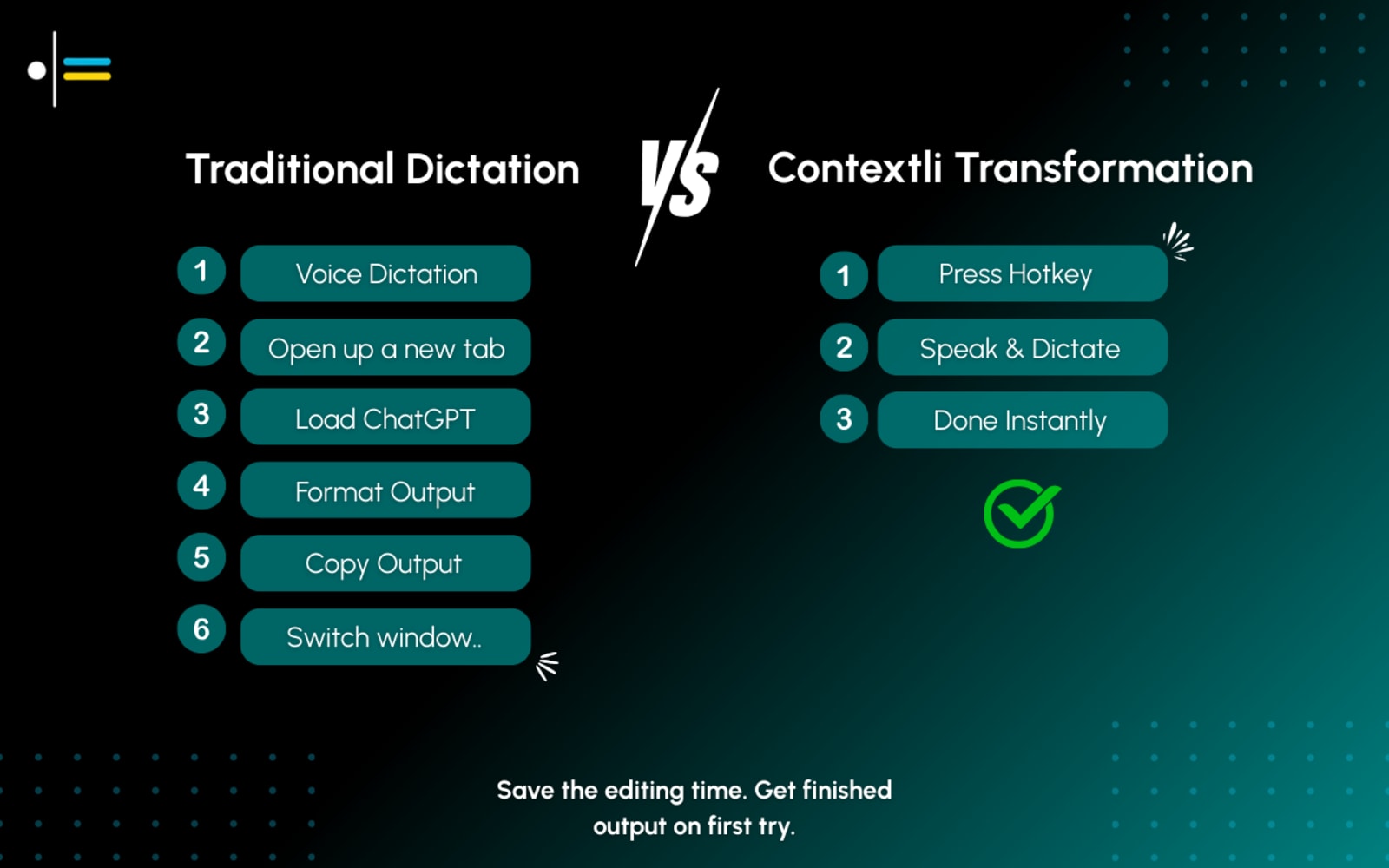
Typing at 40 wpm means a 300-word brain dump takes seven minutes. Spoken aloud, it takes two. But raw transcription still leaves a wall of text that needs heavy editing before it is usable in Jira, Slack, or Gmail.
AI note-taking apps compared
Six options - from free built-in dictation to context-aware AI note takers. Pricing and features as of mid-2026.
Contextli
Free plan + paid from $9/moBest for professionals who speak faster than they type and need formatted output across every app they use.
Built-in Voice Typing (Windows / macOS)
Free (built-in)Fine for occasional quick notes, but leaves all formatting work to you.
Notion AI
From $10/mo (add-on)Great if you live in Notion, but not a true voice-first solution.
Otter.ai
Free plan + Pro from $16.99/moBest for meeting notes; not built for capturing ideas on the fly across apps.
Wispr Flow
Free tier; Pro $12/mo (annual)Polished cloud dictation across Mac, Windows, and iPhone, but no on-device or offline mode.
SuperWhisper
Free tier; Pro $8.49/mo or $249.99 lifetimePrivacy-first on-device processing on Mac and Windows, but mode selection is manual, with no automatic per-app formatting.
What makes Contextli different
Contextli is context-aware voice dictation that automatically formats your speech for each app - Jira tickets, Slack messages, Gmail drafts - without any manual setup.
On-device processing
Your voice is transcribed locally - audio never reaches a remote server.
Automatic per-app formatting
Contextli detects which app is active and formats output accordingly - no mode-switching needed.
26+ app-specific modes
Pre-built formatting rules for Jira, Slack, Gmail, Notion, and more.
Cross-platform
Native apps for Windows, macOS, Linux, iOS, and Android - one subscription, every device.
Which AI note-taking tool is right for you?
- Contextli — professionals who need to capture ideas, tasks, and messages faster than they can type - in any app, on any platform
- Otter.ai / Granola / Fathom — teams who want automated transcripts and summaries of recorded group meetings
- Built-in voice typing — casual users who occasionally dictate and are happy to format the output themselves
- Notion AI — writers and knowledge workers whose entire workflow lives inside Notion
- SuperWhisper — privacy-focused Mac and Windows users who prefer on-device processing with manual mode selection
- Wispr Flow — users who want polished cloud dictation across Mac, Windows, and iPhone
How to start taking AI notes in 5 steps
Download Contextli for your platform (Windows, macOS, or iOS) and create a free account.
Open the app you want to take notes in - Notion, Jira, Slack, Gmail, or any other.
Press the Contextli shortcut, speak your thoughts naturally, and release. Your formatted note appears in the active field, ready to send or save.
Explore app-specific modes to fine-tune output - toggle between email tone, ticket format, chat style, and more.
Upgrade to Pro if you need longer recordings, additional modes, or team access.